Minicourse Features & LMS Declaration
Instructional Design Document (IDD)
My minicourse, “Art as Agency,” is a high school-level course designed to integrate foundational art skills with the United Nations Sustainable Development Goals (SDGs). The full Instructional Design Document can be accessed from the tab above or here: https://rybcmyk.rebeccavickers.com/instructional-design-document/
Minicourse Features
Learners in the “Art as Agency” minicourse can expect the following features:
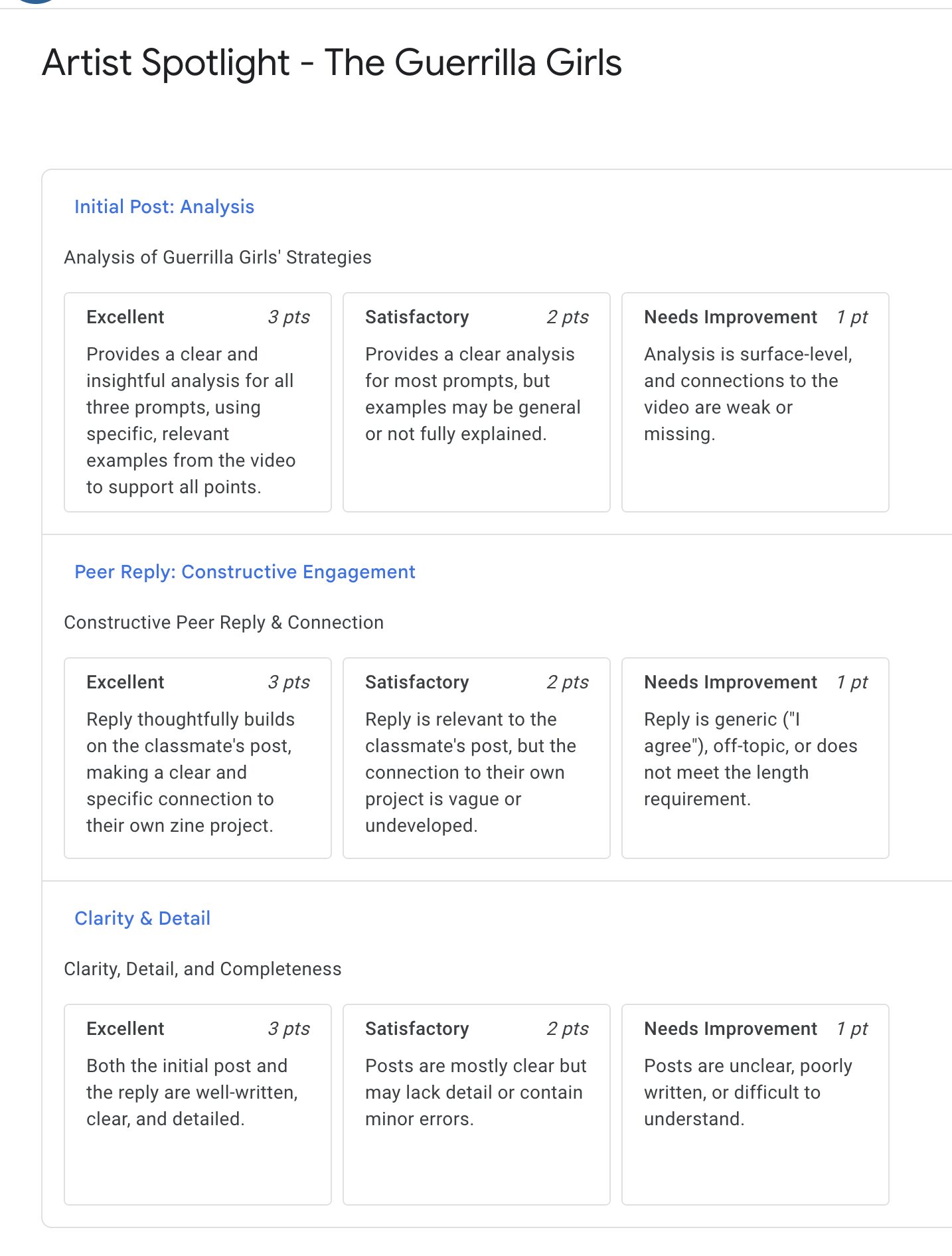
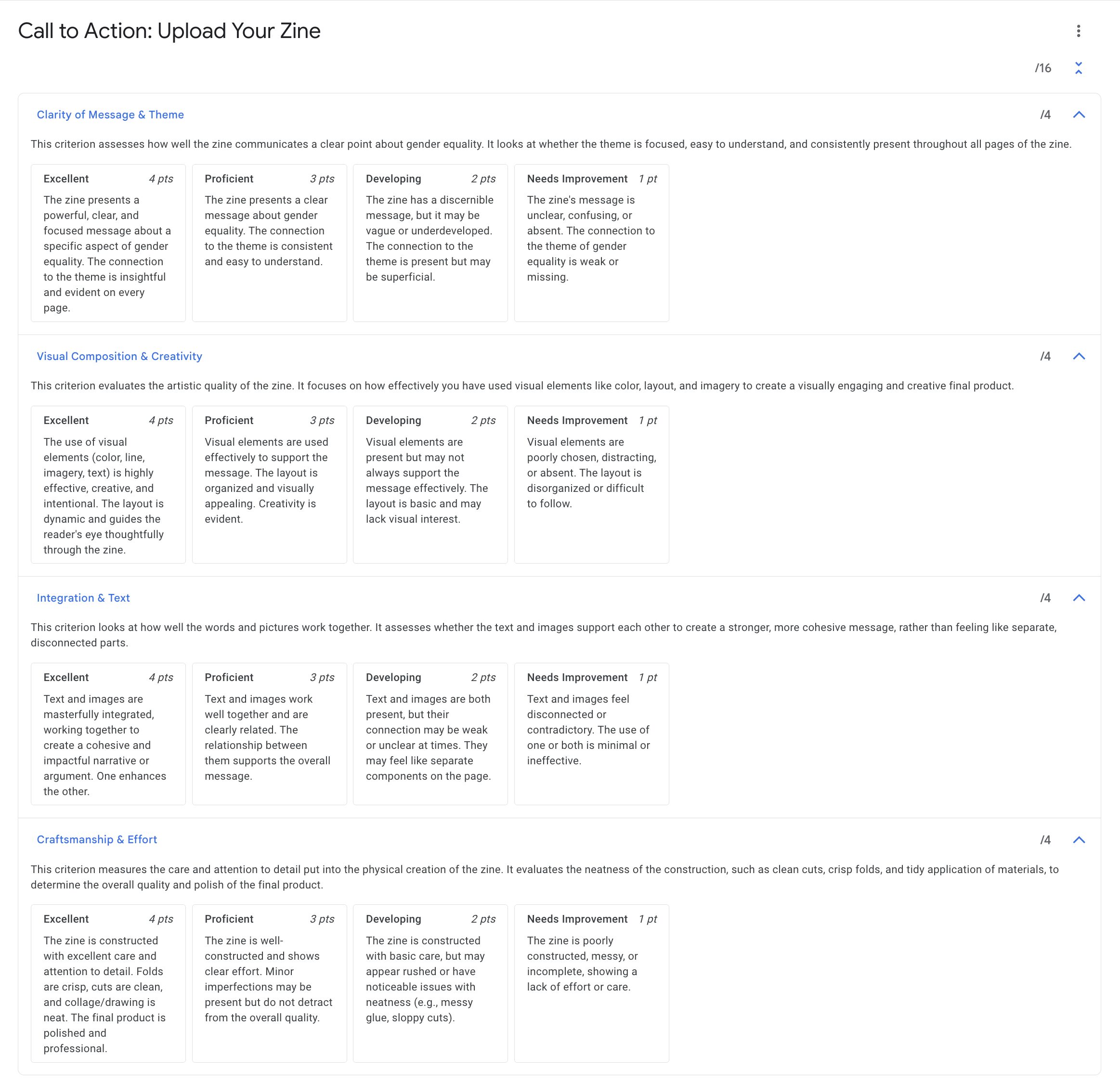
- Project-Based Learning Modules: The course is structured around three core hands-on projects. Each project module will challenge students to create a specific piece of art (a zine, an awareness campaign, a community map) that directly addresses a specific UN Sustainable Development Goal. I am not sure that I will complete all modules for this Capstone course, I intend for them to function as stand-alone classes as well but will see how many I can create in the time that we have.
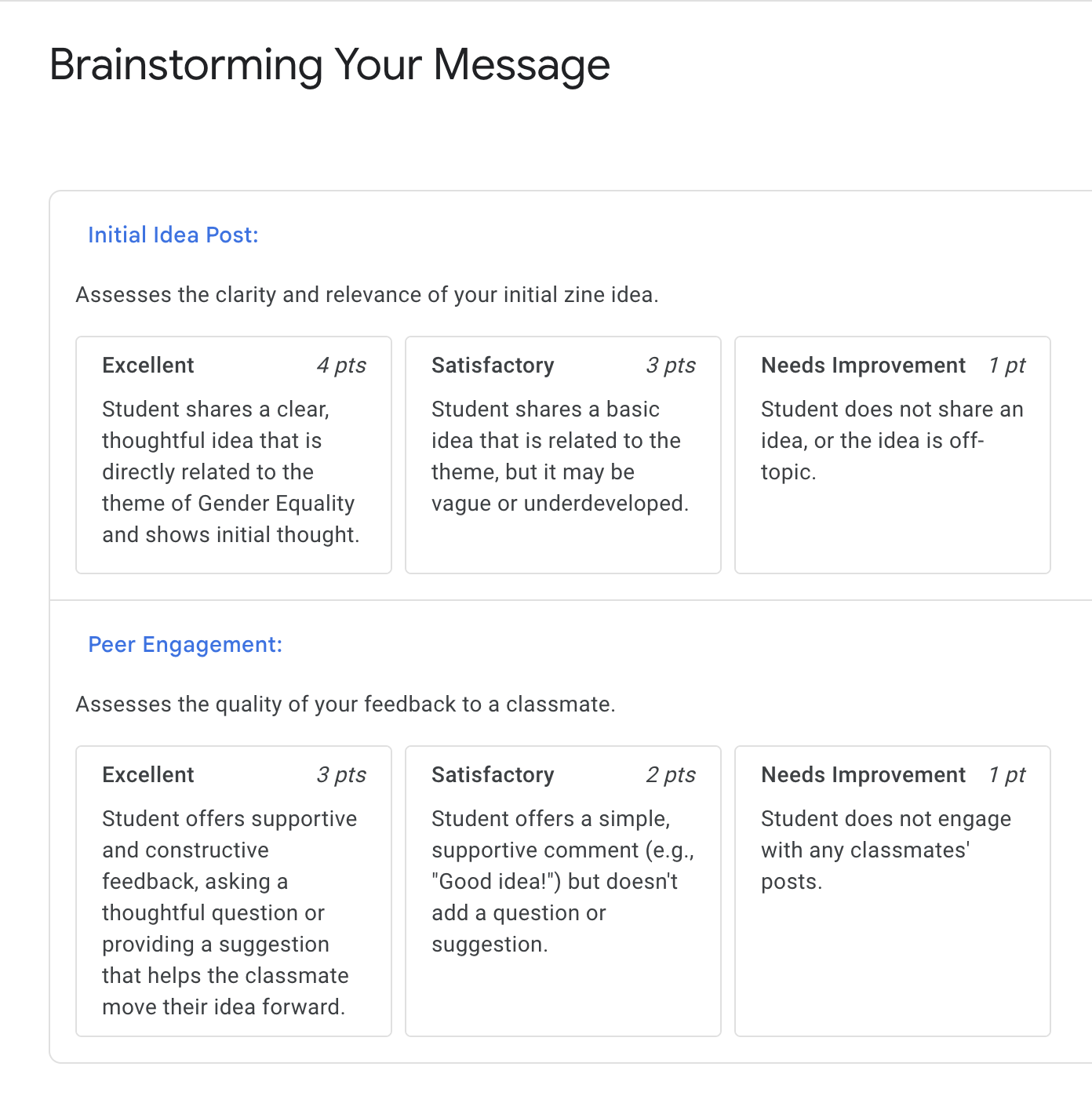
- Collaborative Peer Critique Hubs: Peer critique is one of the most valuable aspects of a learning environment when studying art. To foster a collaborative studio environment online, the course will feature some structured peer feedback activities. In key project modules, students will share their works-in-progress and use guided questions to provide constructive feedback to their classmates, even if asynchronously.
- EFL-Centered & Accessible Content: Acknowledging that many students are English as a Foreign Language (EFL) learners, all instructional content will be designed with their needs at the forefront. This UDL-inspired approach includes providing video lectures with clear captions and downloadable transcripts, offering optional sentence-starters and vocabulary banks for written assignments, and using visuals heavily to support textual information.
-
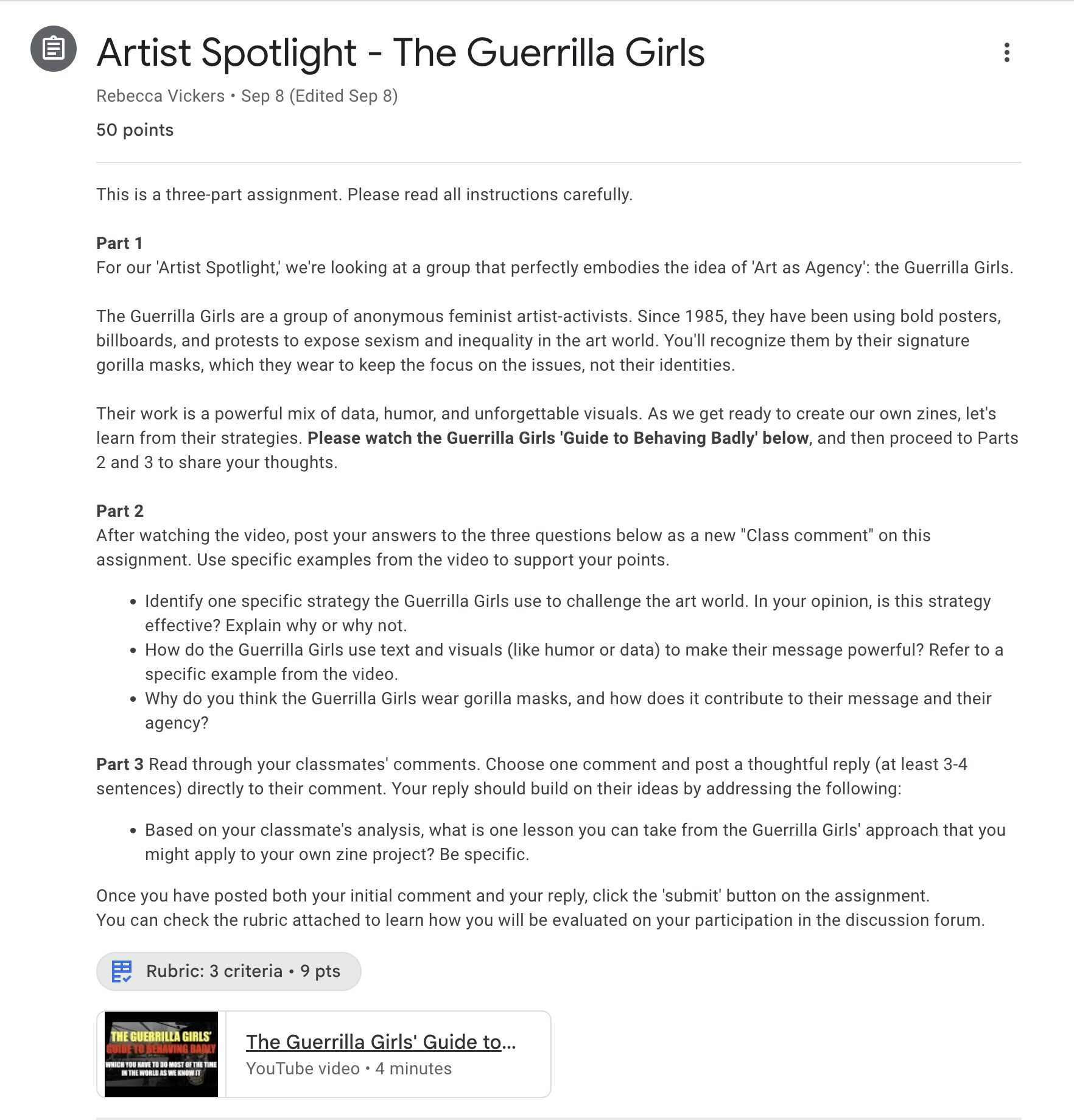
Artist & Activist Spotlights: To provide real-world context and inspiration, each module will feature a short, curated profile of an artist or activist whose work addresses the relevant SDG. This feature will reinforce the concept of “agency” by showing students tangible examples of how art can be a powerful tool for social change.
LMS of Choice: Google Classroom
My chosen LMS for the “Art as Agency” minicourse is Google Classroom. This decision is based on several key factors. Firstly, Google Classroom is the platform currently used at my school. While I am familiar with it, there are many new resources and aspects of the GC that I have yet to explore. Through the creation of my minicourse via this LMS, I will be able to learn how to use the new features and tools, which will directly benefit my daily teaching practice. Beyond these practical reasons, the platform itself is ideal for the course; its seamless integration with Google Workspace and user-friendly design are perfect for a project-based course that emphasizes student creation and the sharing of their work.
The elements of Google Classroom that best support my minicourse are:
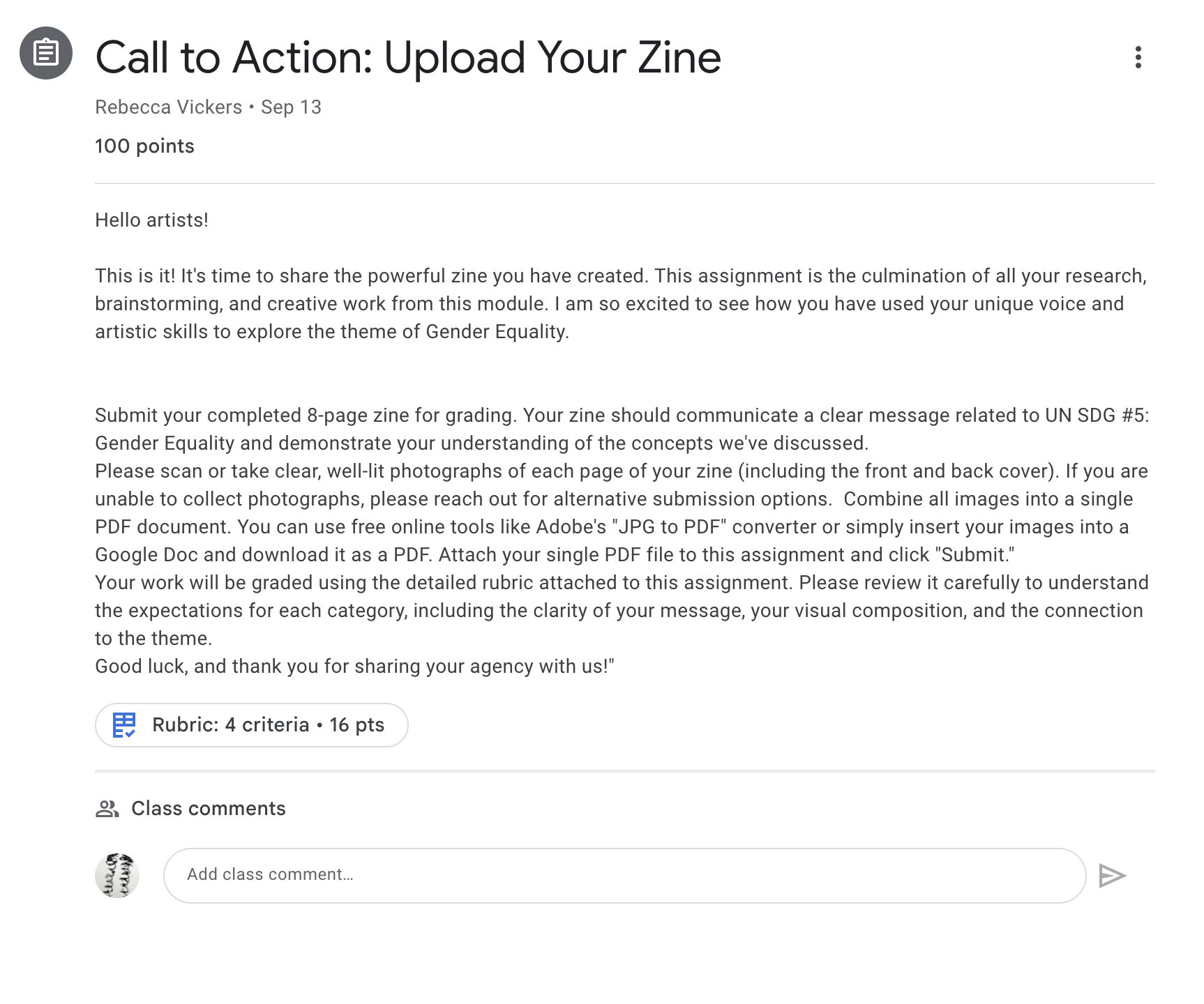
- Google Drive Integration: This is the most critical feature for my course. Students can easily create, manage, and submit their artwork and written components using Google Docs, Slides, and Sheets. Students can also use Google Drive folders or even Google Sites to build and share their digital portfolios.
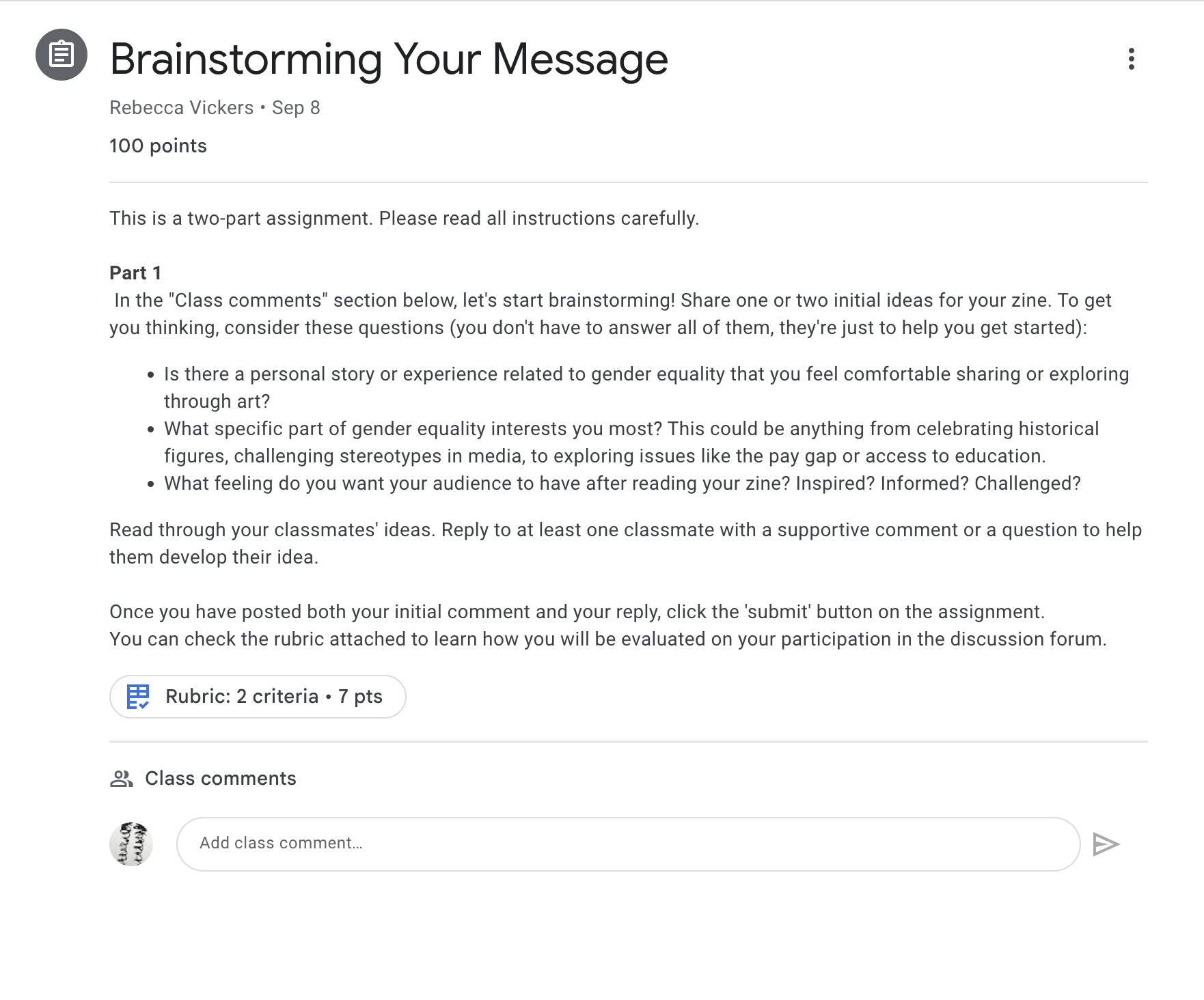
- The “Classwork” Page: I can use the “Topics” feature on the Classwork page to organize the course into the distinct project-based modules. This creates a clear and simple learning path for students to follow. Students could choose to engage with one topic or many.
- The “Question” Feature: This feature can be used to facilitate Peer Critiques. I can use the Question feature to create a dedicated space for each critique, allowing students to post links to their work and reply to each other’s posts with feedback.
- Simplicity and Accessibility: Google Classroom’s interface is clean, intuitive, and mobile-friendly, which reduces the cognitive load on students and aligns with UDL principles. Many high school students are already familiar with it, making it easy to get started.
Google Classroom Support Resources
To support the development of my course in Google Classroom, I have identified the following two key training resources:
- Google for Education Teacher Center: This is Google’s official hub for educator training. It contains free online courses, product guides, and lesson plans for every tool in the Google Workspace for Education, including an extensive section on Google Classroom. It provides fundamental training as well as advanced strategies.
- “Shake Up Learning” by Kasey Bell: This is a highly respected blog, podcast, and YouTube channel run by educator Kasey Bell. It provides practical, creative, and teacher-tested tips for using Google Classroom and other Google tools in an educational setting. It’s an excellent resource for finding innovative ways to engage students beyond the basic features.
 Learning Objectives Assessed: