Digital Media Design

LDT300x

Digital Media Checklist:

This week, I developed an OER Digital Media Checklist designed to systematically evaluate resources for instructional integration. Key aspects include a focus on legal usability through detailed license assessment (covering all Creative Commons types and Public Domain), and critical considerations for accessibility, ensuring content inclusivity. I also prioritized evaluating the relevance of materials to specific learning objectives in my mini-corse, applicable SDGs (my mini course focuses on integration of the SDGs into an art curriculum) and overall quality.

During the design process, I learned the importance of anticipating diverse licensing scenarios and the granular details required for true accessibility checks beyond surface-level observations. I initially started creating the checklist in Google Sheets, but later transitioned to a Google Form, finding its dropdown menus particularly helpful for choosing from available answers and standardizing input. An added value of using a Google Form is that the submitted responses can be easily sorted by different criteria, such as learning objectives or SDGs, within the connected Google Sheet that collects all responses. However, a challenge encountered with the Google Form is its aesthetic appearance when saved as a PDF; it truly is best suited for an online format. I anticipate that I will adjust the form as I move through this course, but once it is finalized, I might create a separate PDF version of the form specifically designed for print.

Applying the checklist to a sample SDG Academy video highlighted the practical value of a structured approach. It guided my assessment of its multimedia elements and overall accessibility features, reinforcing how a well-designed checklist is an invaluable tool for ethical and effective instructional media curation.

Google form checklist
PDF of checklist
PDF of checklist when applied to a resource (as viewed in Google Sheet) 
Google Sheet collecting responses to the Google Form checklist


Google Form Digital Media Checklist:
*please click ‘next’ to view subsequent fields
Digital Document:

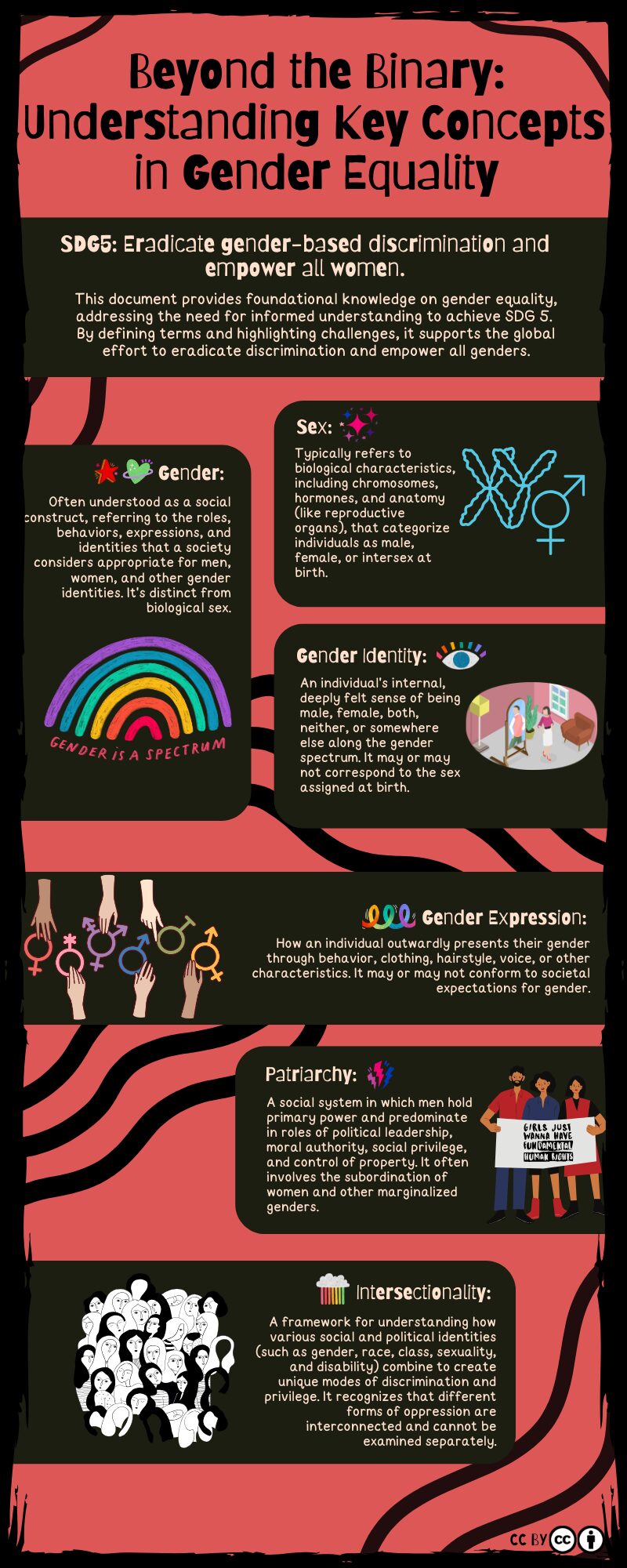
The digital document, “Beyond the Binary: Understanding Key Concepts in Gender Equality,” serves as a foundational primer clarifying essential terms related to Sustainable Development Goal 5: Gender Equality. Its key aspects include a dark pink background, the Barriecito font for readability, and strong, black wavy lines connecting definition boxes, creating a bold and empowering aesthetic. Visual design principles like contrast, proximity, and repetition were applied to enhance clarity and engagement.

This document directly addresses my course learning objective: CLO1: RESEARCH, CURATE and PROPOSE how artistic practices and visual strategies can address a selected SDG target relevant to learners’ communities, lived experiences, and broader global concerns. By curating foundational knowledge, it equips learners with the necessary vocabulary to understand the complexities of gender equality.

A significant lesson learned during this process was the importance of balancing visual appeal with absolute clarity, especially for sensitive topics. Crafting the accompanying audio description was critical, emphasizing how vital comprehensive narration of visual elements is for accessibility. This highlighted the iterative nature of design, where every element, from font choice to image description, contributes to effective and inclusive instructional delivery.


Digital Document and Audio Description:


PDF of Digital Media Checklist

Digital Image / Logo:


An animated black and white digital collage. Initially, the right side shows blank pages of a zine. Then, stylized, diverse faces in black and white gradually fade into these pages, while simultaneously the white text 'VOICES FOR CHANGE' fades in below the main title on the left. The left side also features bold white text reading 'THE GENDER EQUALITY ZINE PROJECT

For this week’s activity, I created a banner image for “The Gender Equality Zine Project” module, a key component of my “Art as Agency” capstone course. This banner will serve as a prominent visual element on the module’s introductory page, immediately conveying its theme and purpose. Learners will recognize the visual identity of the ‘Gender Equality Zine’ project as a symbol of inclusivity and empowerment.

My thought process behind the design was to create a visually striking image that embodies both the “gender equality” and “zine project” aspects while resonating with the “Art as Agency” theme. I chose a high-contrast black and white palette to create a bold, impactful statement. The image is a GIF, and its animation is central to its message. The initial blank zine pages on the right, combined with the fading-in figures and the “VOICES FOR CHANGE” text, powerfully symbolize the idea of creating change and agency through collective action and artistic expression. This dynamic element directly reinforces the course’s emphasis on “Art as Agency.”

The image on the right features a grid of stylized, diverse faces. This visual represents the multitude of voices and perspectives central to gender equality and the zine concept. The fading effect of the figures, combined with the “VOICES FOR CHANGE” text, aims to create a sense of emerging collective agency. I created this image by collaging together visual resources available for use on Canva, focusing on line (in the facial features and hair), shape (of the faces and text blocks), and contrast (black and white) to achieve a powerful composition. The alignment of the text and the proximity of the faces create a unified, balanced design.

The alt text I would use to describe this image is: “An animated black and white digital collage. Initially, the right side shows blank pages of a zine. Then, stylized, diverse faces in black and white gradually fade into these pages, while simultaneously the white text ‘VOICES FOR CHANGE’ fades in below the main title on the left that is composed in bold white text reading ‘THE GENDER EQUALITY ZINE PROJECT’.”

PDF of Digital Media Checklist

Digital Video:

For this week’s activity, I created an explainer video titled “Beyond the Page” This video serves as a key introductory piece for “The Gender Equality Zine Project” module within my “Art as Agency” capstone course. Its purpose is to inspire learners by showcasing zines as a powerful, accessible medium for artistic expression and social advocacy.


CC Attribution Non-Commercial Share Alike


A significant focus for this video was to create a dynamic and engaging visual experience. I meticulously integrated a variety of visuals, including carefully selected historical zine covers that visually exemplified the application of art elements and design principles like bold line, striking shape, high contrast, and deliberate emphasis. Animated text overlays were used to explicitly highlight these principles as they appeared in the examples, reinforcing the theoretical concepts. The inclusion of an animated character provided a consistent and friendly presence, helping to guide the viewer through complex ideas while maintaining visual interest. This comprehensive visual storytelling approach was designed not only to make the content more engaging but also to explicitly demonstrate how CLO3: INTEGRATE and APPLY conceptual thinking and experimental techniques are intrinsically at play in zine creation, bringing abstract artistic concepts to life.

Meeting accessibility standards was paramount, ensuring the video was inclusive for all learners. My closed captioning process involved initially leveraging automated transcription, which provided a good starting point. I reviewed the text for accuracy in punctuation, grammar, spelling, and capitalization.

Reflecting on the video editing software used, I found Adobe Character Animator and Adobe Premiere to be exceptionally helpful for this project. Adobe Premiere Pro provided the timeline editing capabilities necessary to seamlessly integrate the audio, video clips, and animated text overlays, allowing for synchronization. Adobe Character Animator was instrumental in bringing the animated character to life, offering intuitive tools for lip-syncing and basic movements. While I utilized a basic template for the character in this instance due to time constraints, I am particularly excited about the potential to develop my own unique characters from scratch in future projects. This would involve designing custom puppets and exploring more advanced rigging techniques within Character Animator, further expanding my skills in digital media production and character animation.

PDF of Digital Media Checklist 

Digital Video 2 :

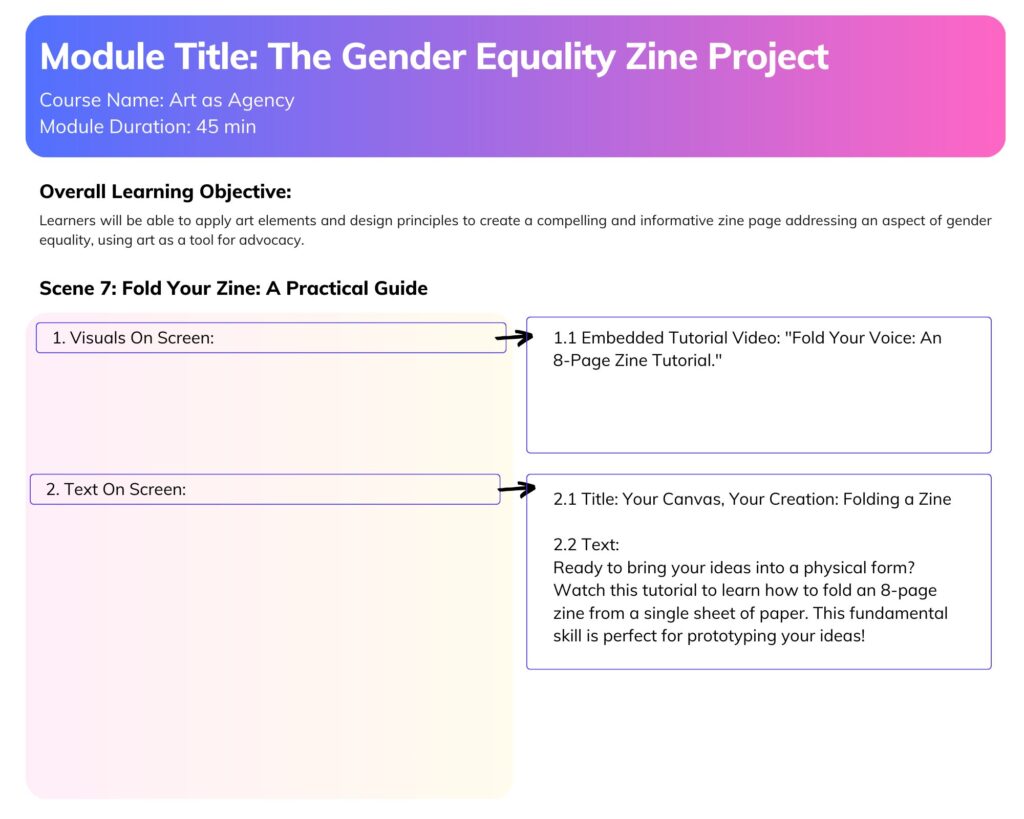
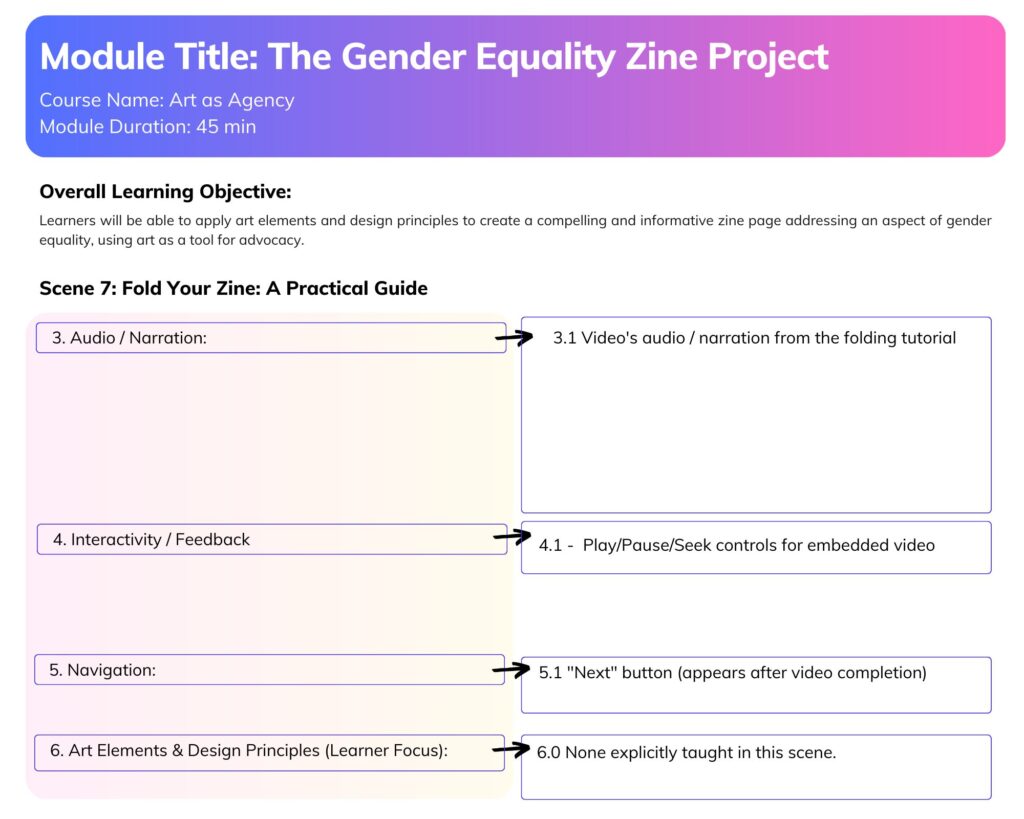
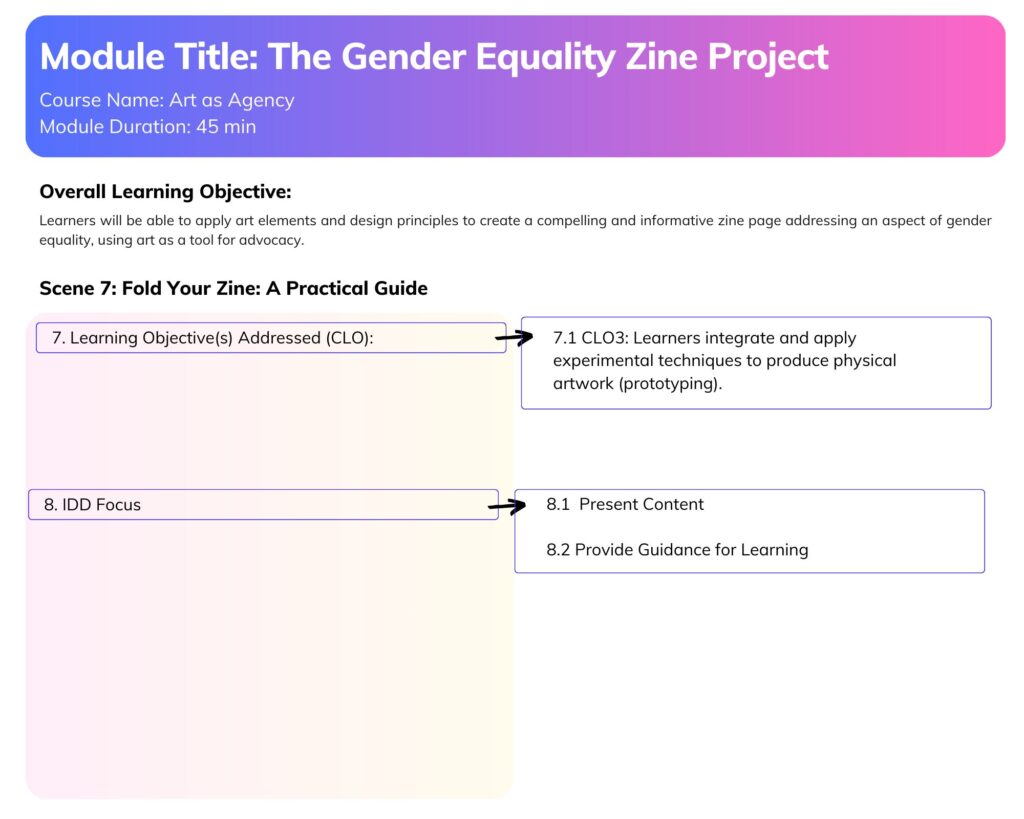
I developed a video titled “Fold Your Voice: An 8-Page Zine Tutorial.” This video is a practical, hands-on component of “The Gender Equality Zine Project” module within my “Art as Agency” capstone course. Its primary purpose is to empower learners with the fundamental skill of creating an 8-page zine from a single sheet of paper, directly supporting the module’s goal of fostering artistic expression for social impact. This aligns directly with my capstone course’s CLO3: INTEGRATE and APPLY conceptual thinking and experimental techniques to PRODUCE artwork that explores the ethical, emotional, and political dimensions of sustainability. By teaching this accessible technique, the video enables learners to immediately begin producing their own tangible artwork.


CC Attribution Non-Commercial Share Alike


A significant focus for this video was to create a dynamic and engaging instructional experience that goes beyond a simple screencast. This video seamlessly blends animation with live-action demonstration. It features an animated character, providing a consistent and friendly guide, while crucially incorporating a real video segment that meticulously shows the practical process of folding zine pages. This hybrid approach aims to make the complex folding steps clear and engaging, reinforcing the hands-on nature of zine creation.

Meeting accessibility standards was also a focus. My closed captioning process involved transcribing the narration with AI and then editing for accuracy in punctuation, grammar, spelling, and capitalization. The captions were provided as a separate, embedded SRT caption file, allowing viewers to toggle them on or off and customize their appearance, which offers greater flexibility for diverse learner needs. 

Reflecting on the software program used, I found Adobe Character Animator and Adobe Premiere to again be helpful for this project. Adobe Premiere Pro provided the timeline editing capabilities necessary to integrate the audio, video clips, and animated elements, allowing for synchronization. Adobe Character Animator was instrumental in bringing the animated character to life, offering intuitive tools for lip-syncing and basic movements. For consistency and to create a cohesive learning experience across the module, I utilized the same character and voice as in the previous video. As mentioned in the previous week, I look forward to developing my own unique characters from scratch within Character Animator, further expanding my skills in digital media production and character animation.


PDF of Digital Media Checklist

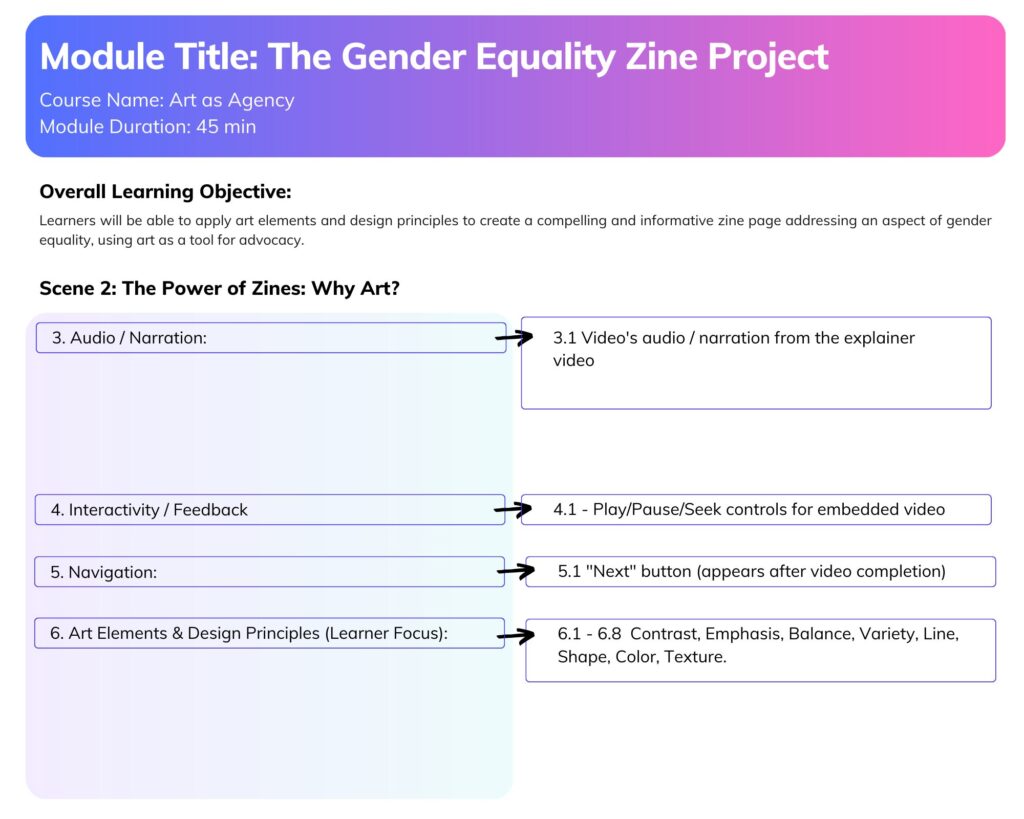
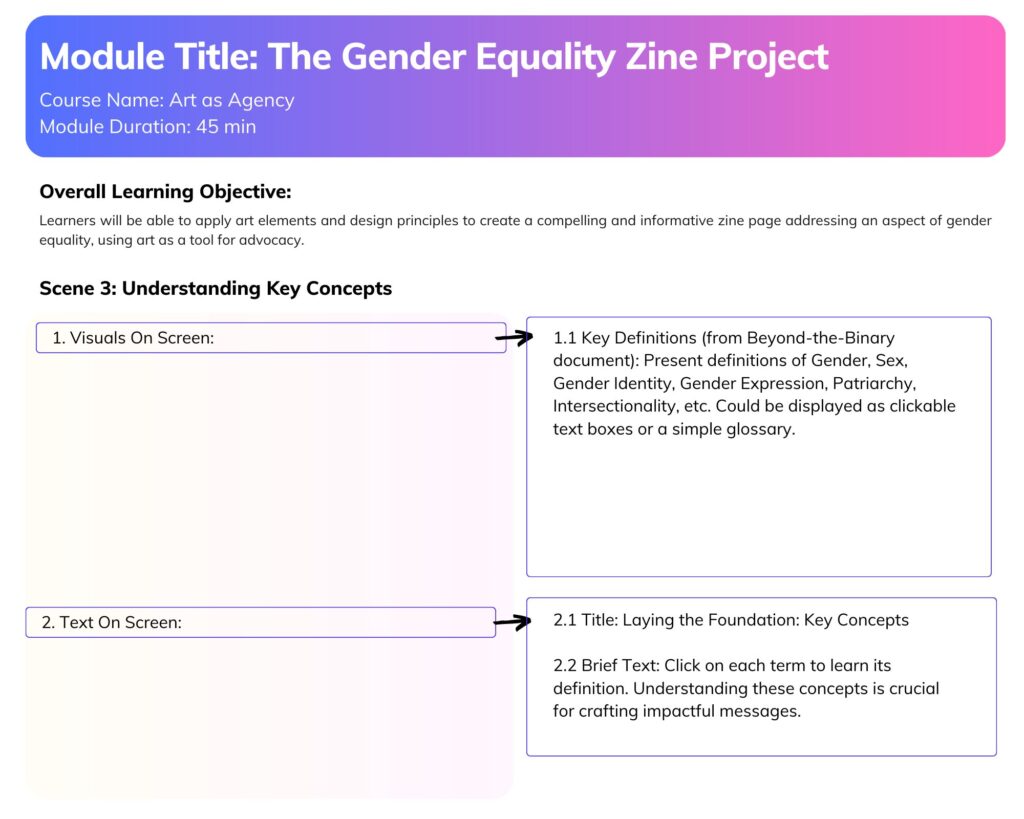
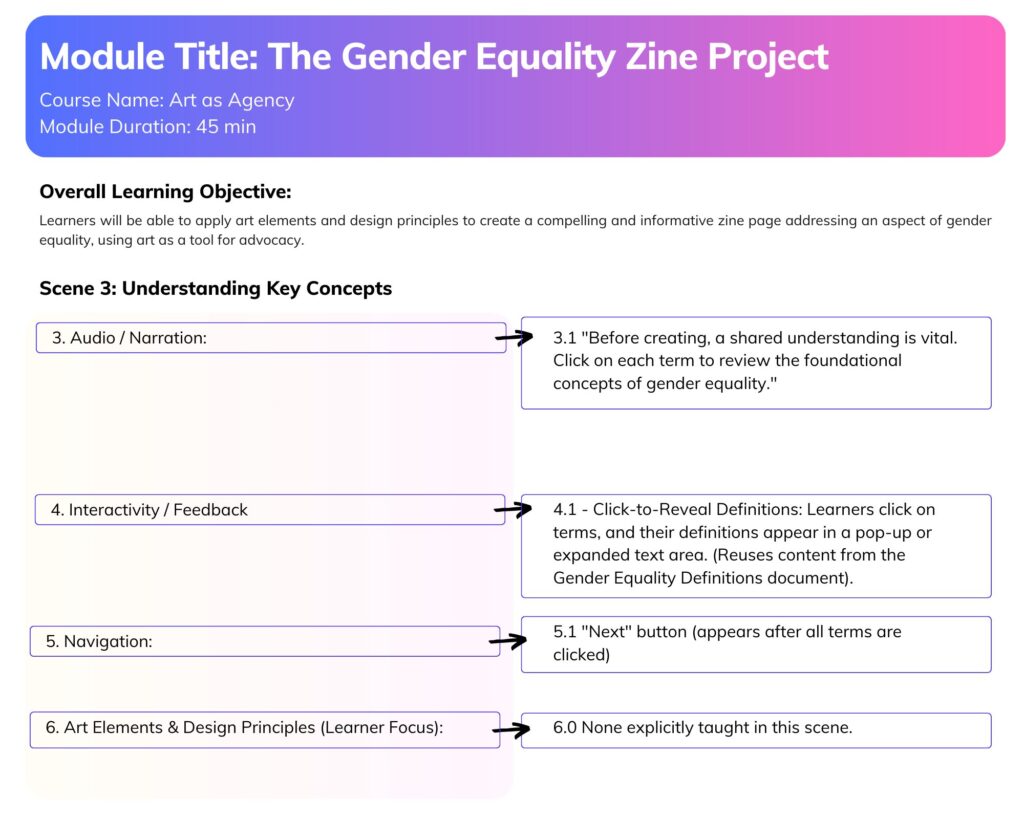
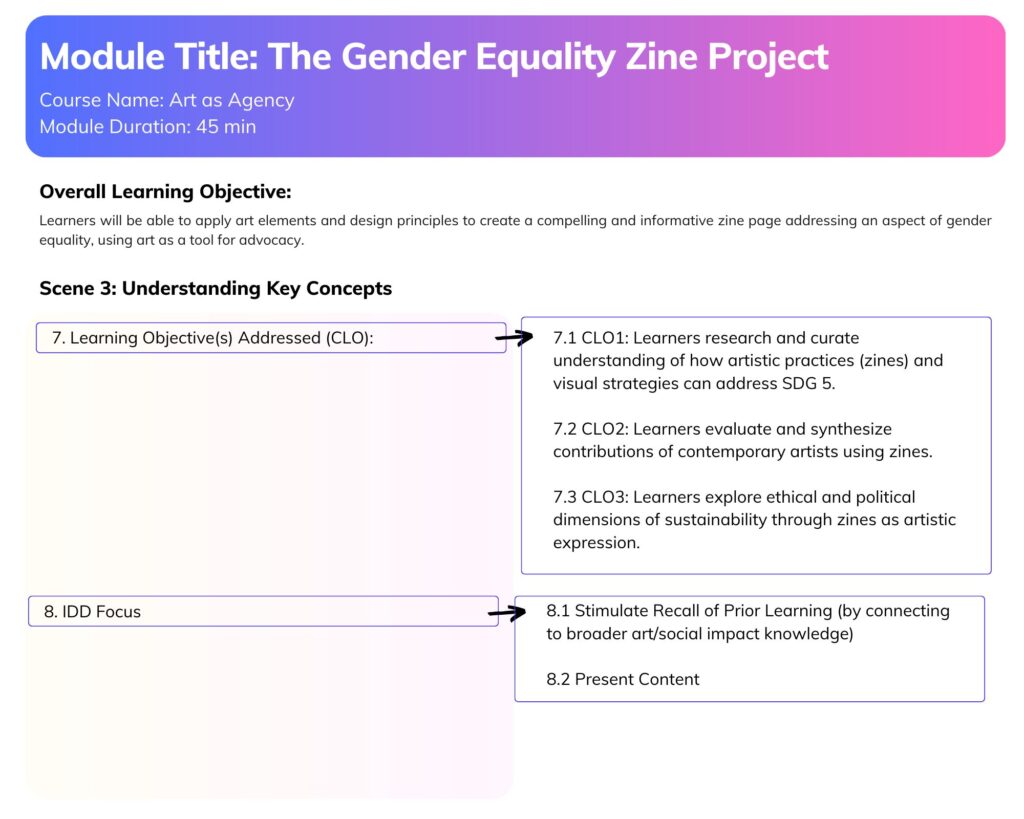
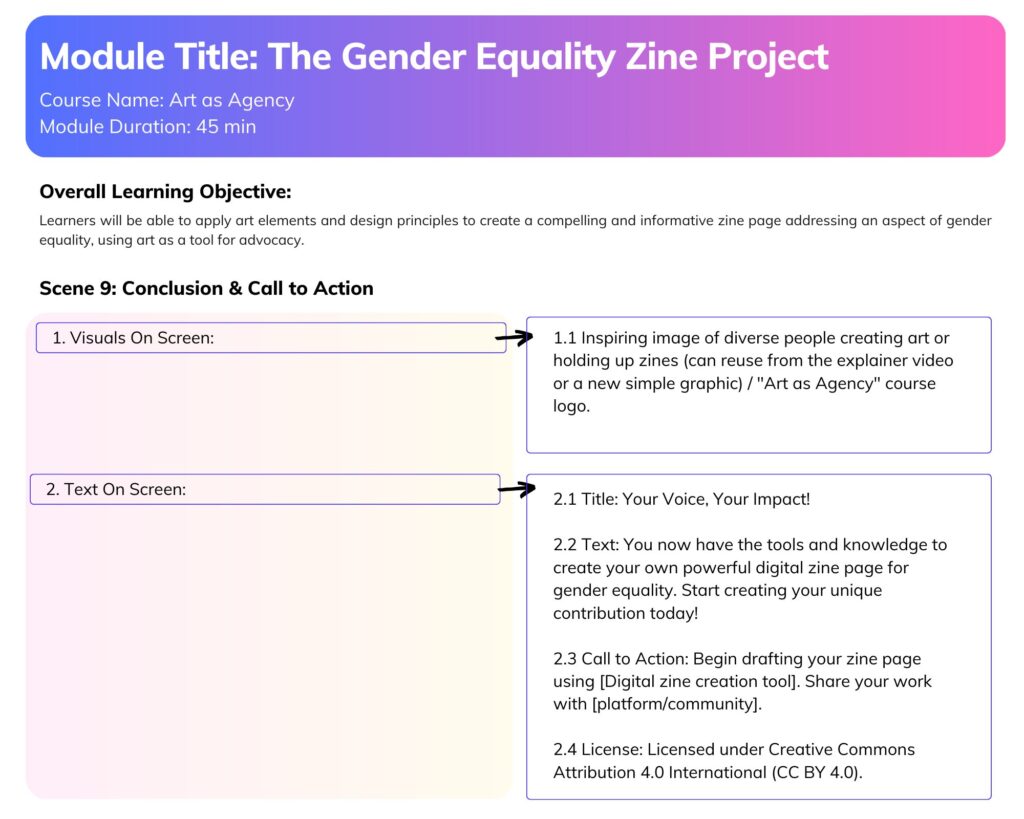
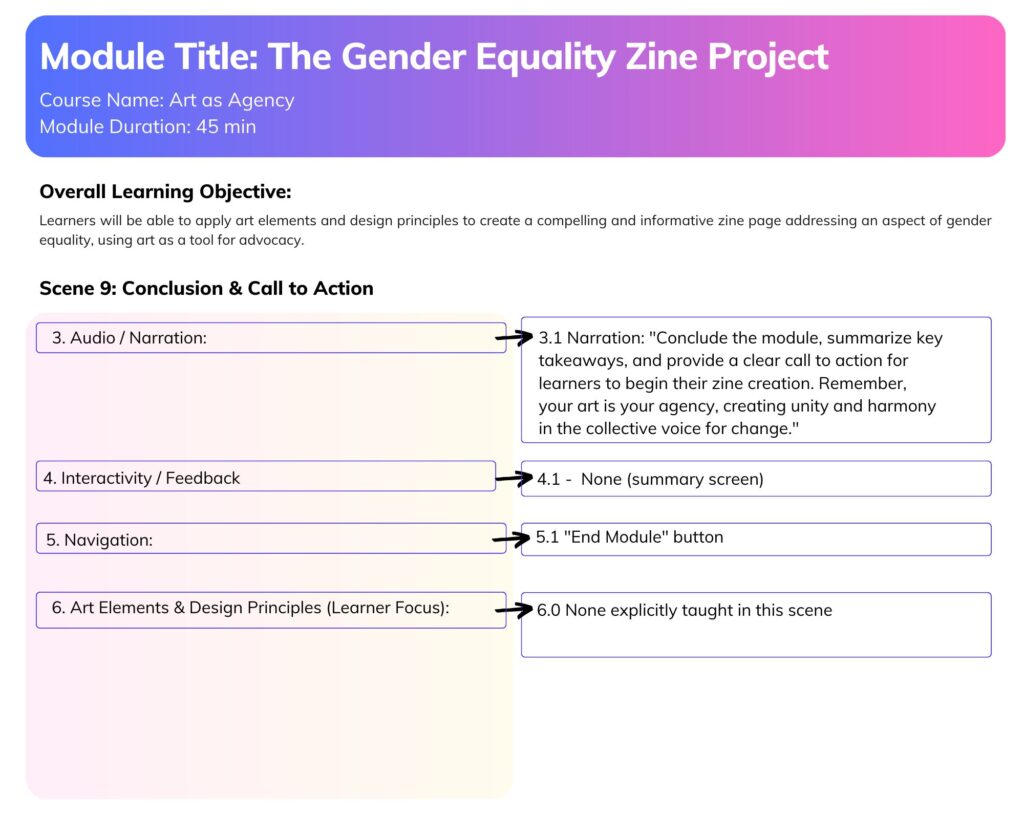
Storyboard:

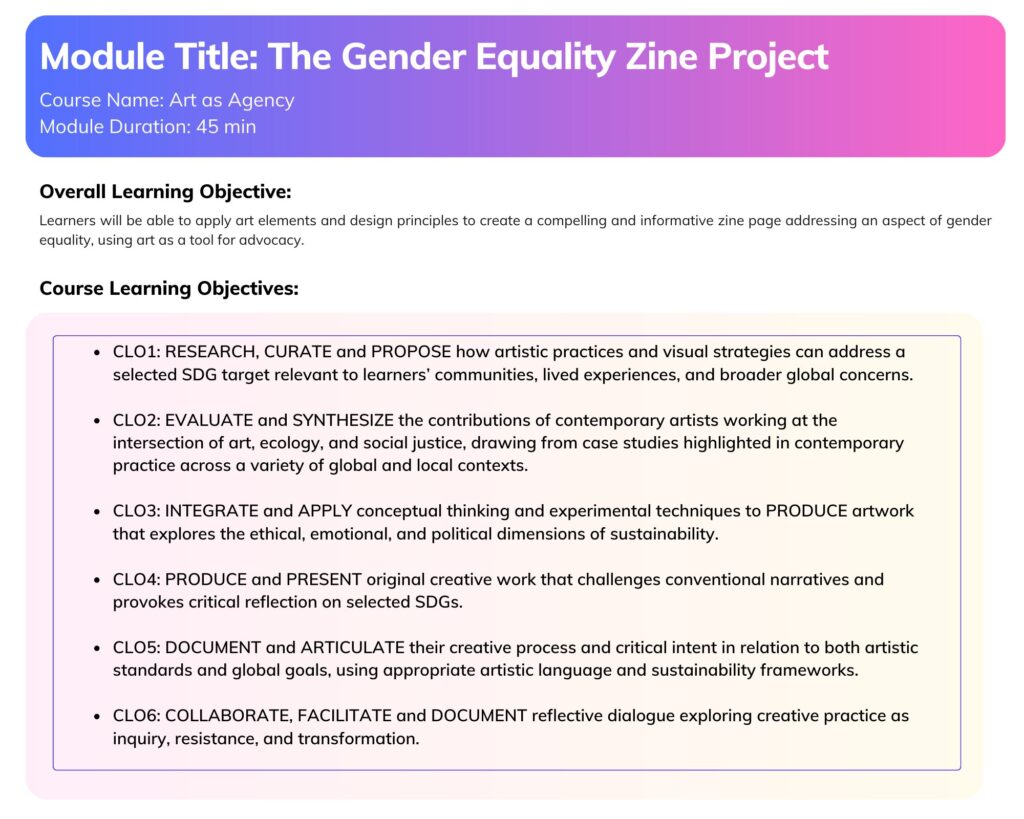
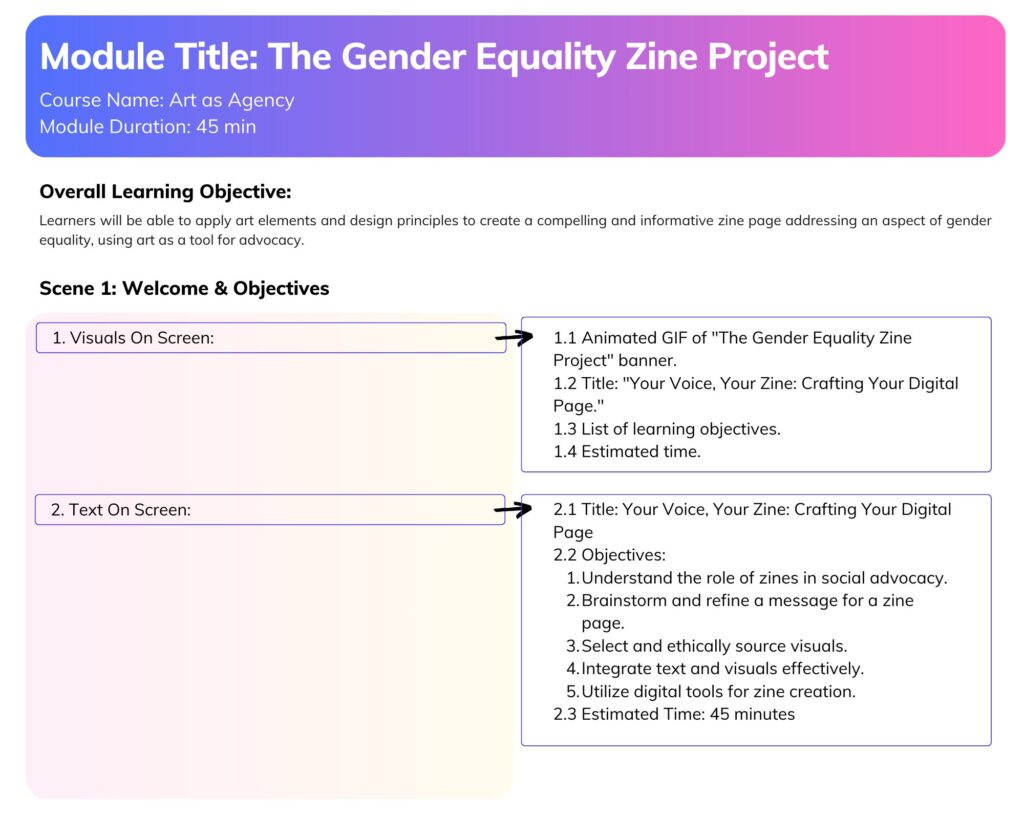
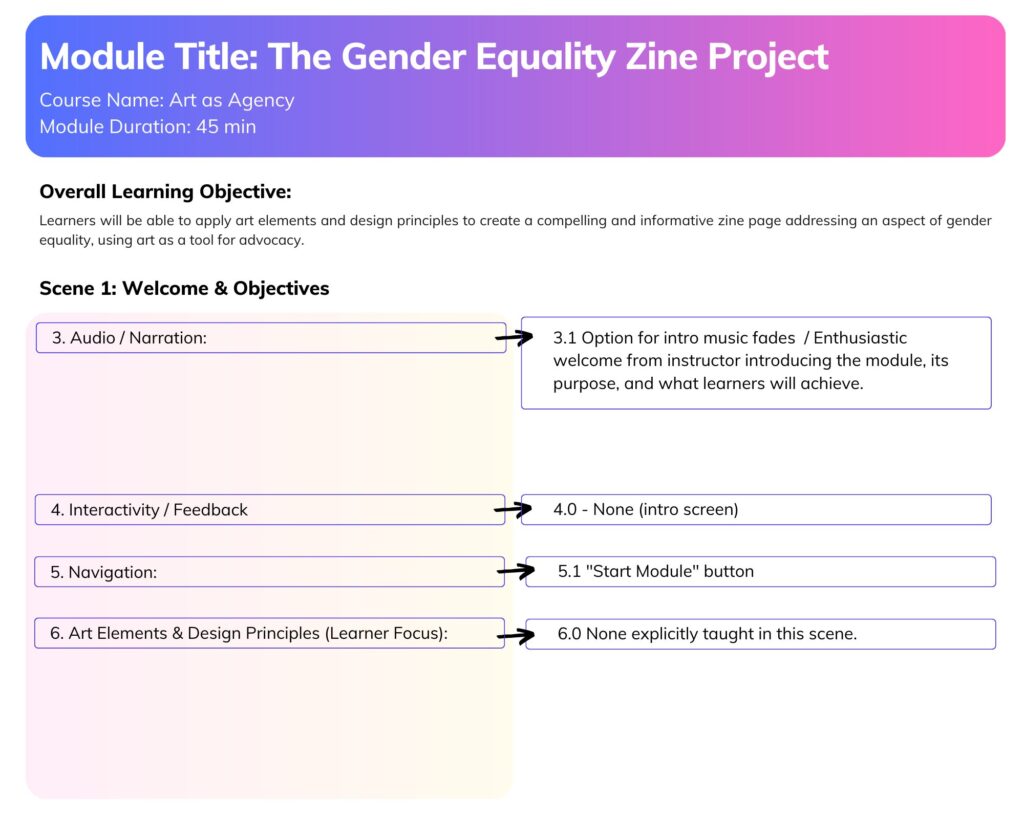
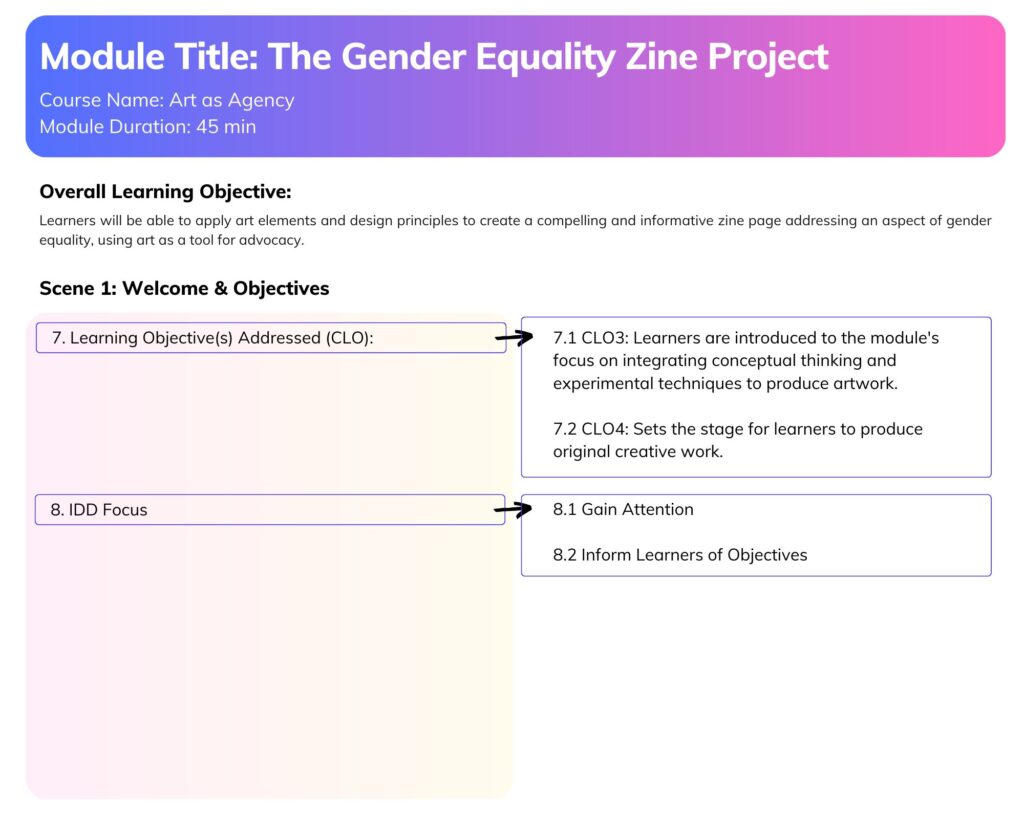
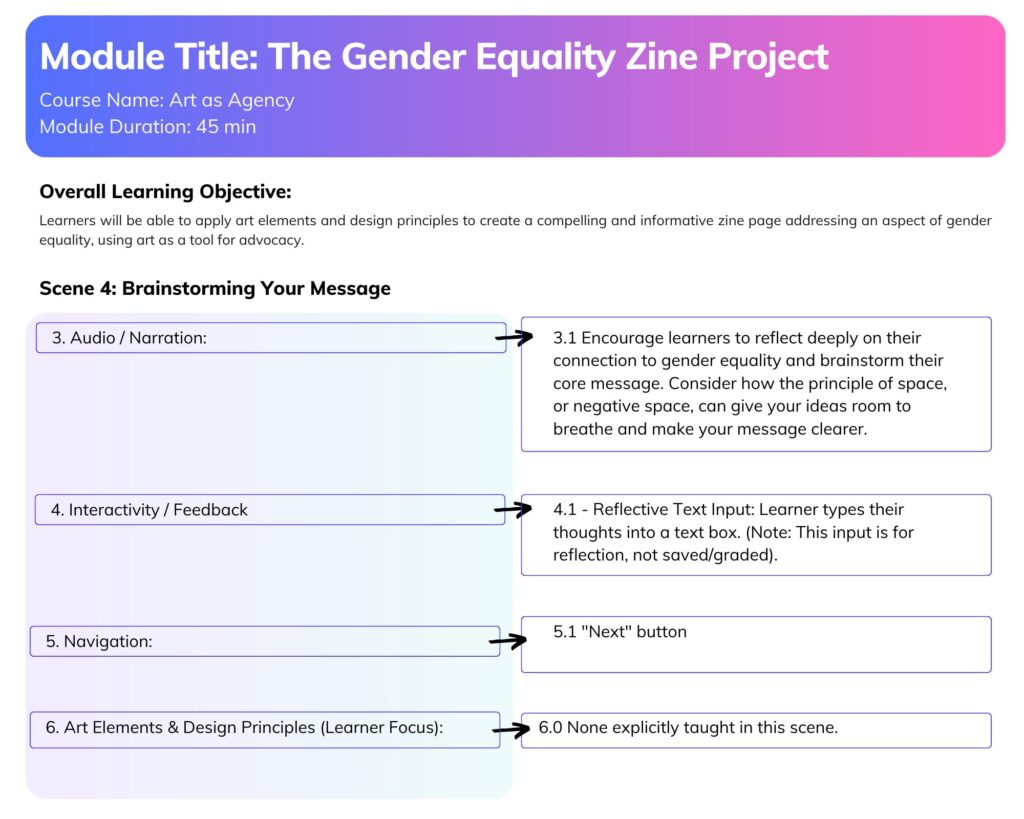
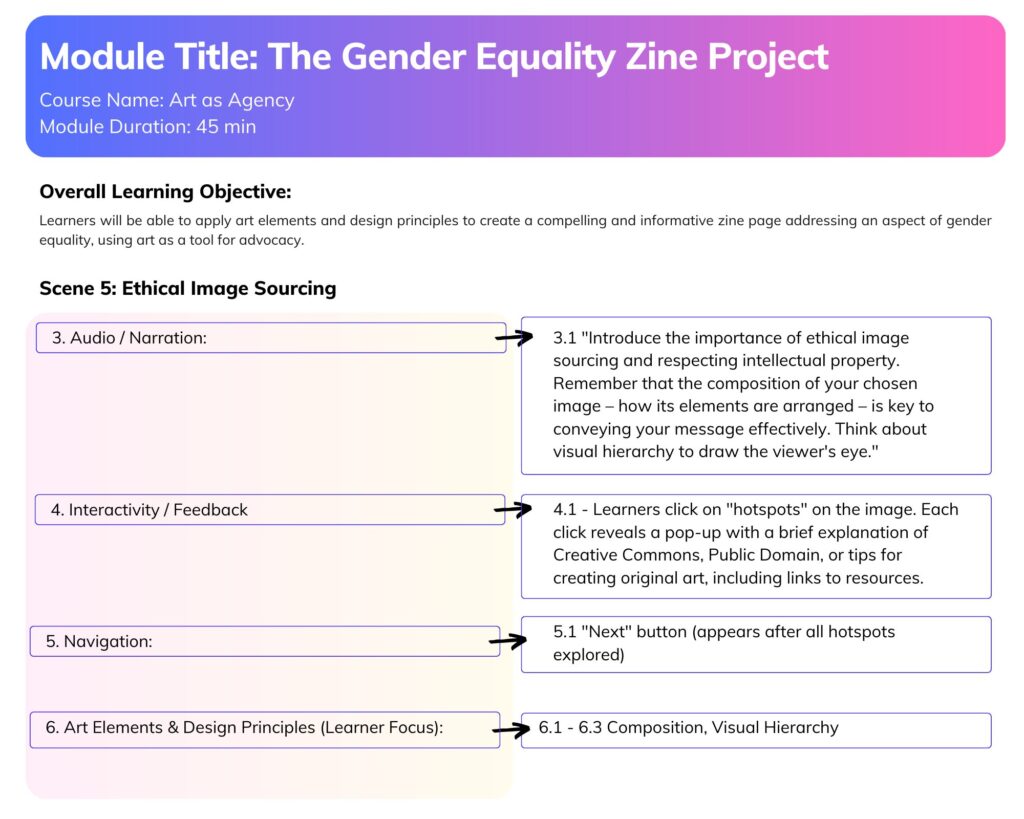
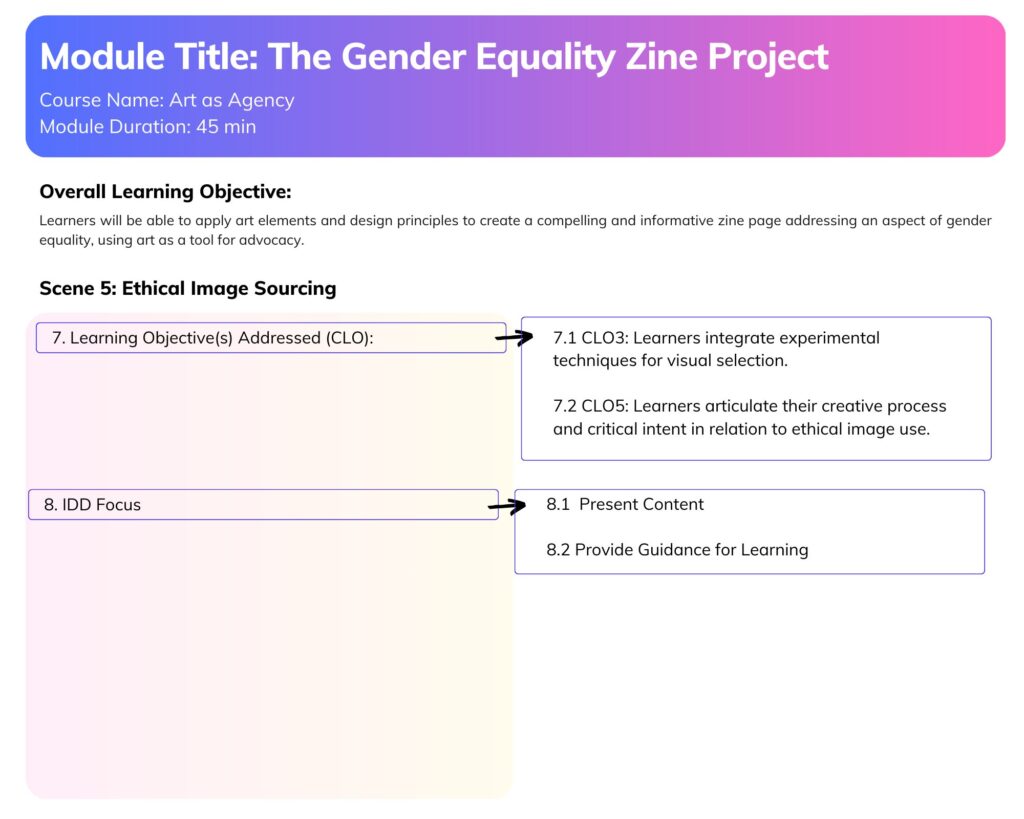
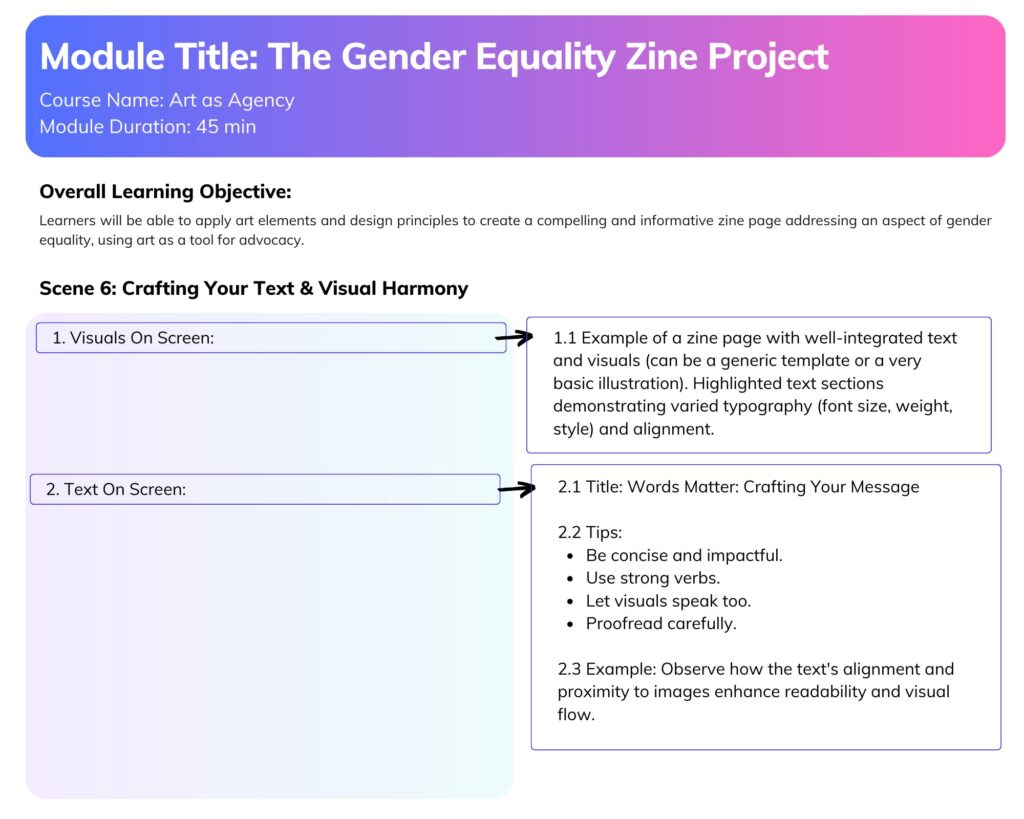
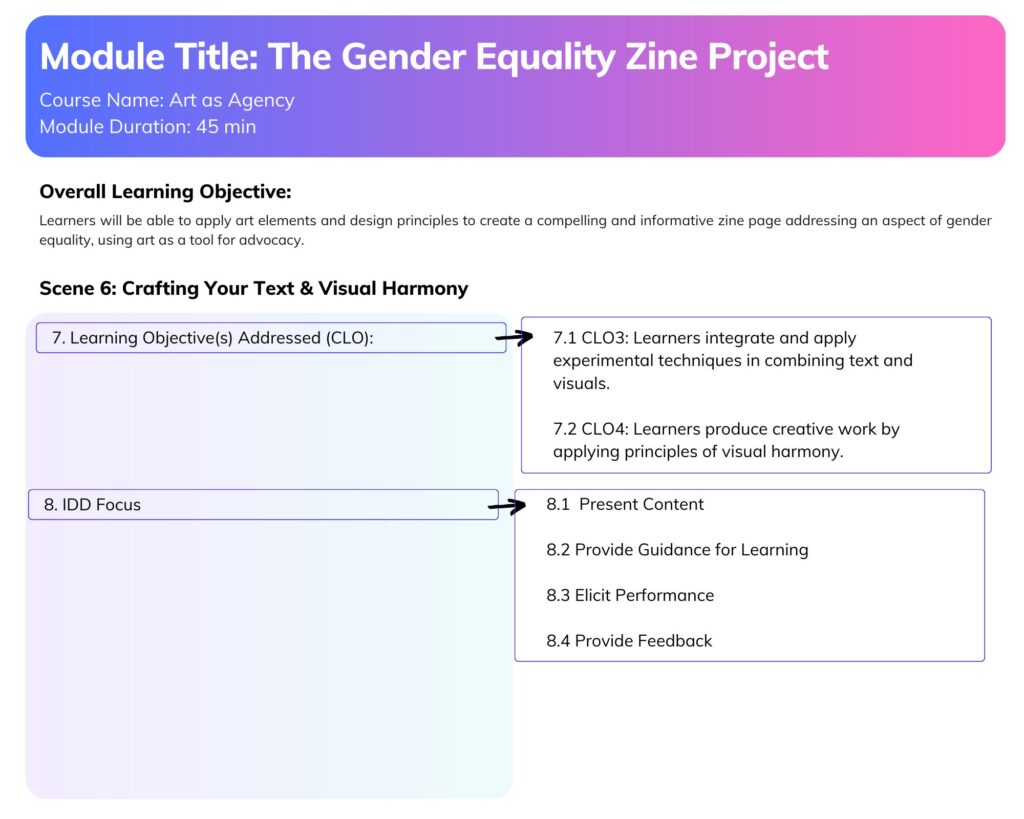
I drafted a storyboard for ‘The Gender Equality Zine Project,’ an interactive lesson module of my ‘Art as Agency’ course. This storyboard serves as a blueprint an interactive e-learning module. It directly addresses the learning objectives of the lesson, particularly enabling learners to apply art elements and design principles to create impactful zine pages.


I utilized Gagne’s 9 Events of Instruction to ensure a systematic approach to learning design. I mapped each of the nine scenes to specific events, from gaining attention and informing objectives to eliciting performance and enhancing retention. This framework helped ensure a comprehensive and effective learning flow. A key aspect was integrating existing digital media assets from previous weeks: the Week 3 banner, the Week 4 explainer video, the Week 2 definitions document, and the Week 5 zine-folding tutorial. This approach not only maximizes efficiency but also creates a cohesive and interconnected learning experience for the user.

The storyboard explicitly highlights where learners will engage with art elements and design principles such as space, composition, visual hierarchy, typography (line, shape, value), alignment, proximity, unity, rhythm, emphasis, and balance. The interactive elements, like the drag-and-drop activity and the quiz feedback, are designed to actively elicit performance and provide immediate feedback on these concepts, ensuring active learning rather than passive observation. Working backward from the envisioned Week 7 module significantly streamlined the storyboarding process, making the planning more focused and practical. I found this method invaluable for ensuring all content and interactions served a clear purpose within the module’s overall goals.


E-Learning Module:

This interactive e-learning module, “Your Voice, Your Zine: Crafting Your Voice,” has an instructional goal of guiding learners through the practical and conceptual steps of creating their own compelling zine page addressing gender equality. It directly aligns with my capstone course’s CLO3: INTEGRATE and APPLY conceptual thinking and experimental techniques to PRODUCE artwork… and CLO4: PRODUCE and PRESENT original creative work… by providing a structured pathway for artistic creation.

I experimented with Adobe Captivate to create this e-learning module. Some things went well, and some things…not that well. For example, I don’t like that the finished export requires that the user scroll down in order to view all the content on a slide. If I were to do the project again, I would try to eliminate this requirement.


The module incorporates a variety of interactive elements, each chosen to actively engage the learner and reinforce specific learning objectives.

  • The Click-to-Reveal Definitions (Scene 3) from the “Gender Equality Definitions” document allows learners to actively explore foundational concepts, promoting self-paced learning and direct engagement with key vocabulary.
  • The Reflective Text Input (Scene 4) encourages personal connection to the topic, prompting learners to brainstorm their unique message for their zine.
  • The Hotspot Activity (Scene 5) for ethical image sourcing provides an engaging way to present complex information about licensing and responsible visual practices, allowing learners to discover details at their own pace.
  • The Drag-and-Drop Activity (Scene 6) is effective for teaching art elements and design principles (Typography, Shape, Negative Space). By requiring learners to actively match concepts to visual examples on a simulated zine page, it elicits performance and provides immediate feedback, solidifying their understanding of how these principles apply in practice.
  • Finally, the Multiple-Choice Quiz (Scene 8) assesses their comprehension of zine design best practices, with targeted feedback reinforcing correct concepts and clarifying misconceptions.

My experience using Adobe Captivate for this project was somewhat challenging but rewarding as there is a bit of a steep learning curve. I found its drag-and-drop templates helpful but also limiting in their inflexibility. Furthermore, the process of publishing my finished module on this webpage required additional steps and installation of wordpress plugins. Despite these challenges, the process of creating this interactive module deepened my understanding of instructional design principles and their practical application in digital media development.